Print Purchase Order
[575] |
Purchasing | Processing |
Printing the Purchase Order is
a mandatory step in processing orders. All approved
purchase orders will be loaded on the Print Purchase Order screen.
The Purchase Order
is printed to confirm the purchase and given to the supplier.
Steps
-
Open
Print PO screen. All approved Purchase Orders will be shown on the
screen.
-
Tick the "Print" check box
to select purchase order to print. Click on "Select All" to select all
purchase orders on the screen. Refer to Figure 1.
-
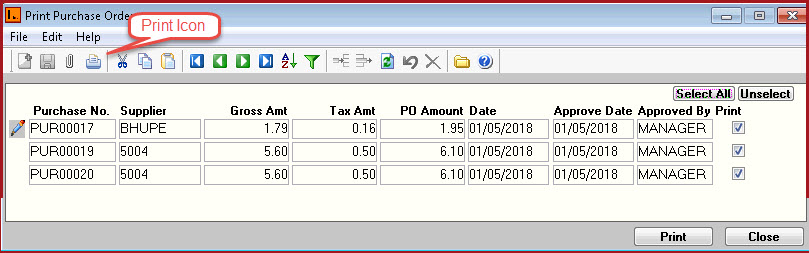
To Print the order click on the
"Printer" icon on the
screen or use the "Print"
button. Refer to Figure 2.
-
The purchase order will open in "Link
Reporter" by default. Users can then print the
report on the respective printers.
Figure 1 :
Select Purchase Order to print.
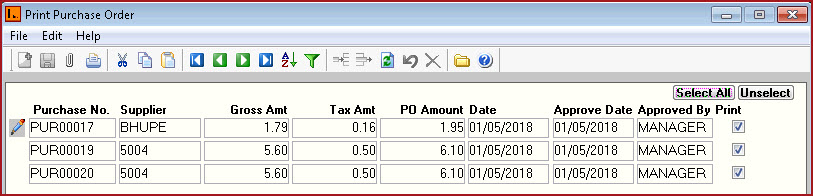
Figure 2
: Print Purchase Order


 Link Technologies - LinkSOFT Documentation