

 Link Technologies - LinkSOFT Documentation Link Technologies - LinkSOFT Documentation
 [331-2] | Payroll | Pay Processing | Time Sheet
The Edit Time Sheet menu is used to make any changes from the standard hours. The users can make appropriate changes that includes Overtime, and Time and a Half
Double click on the Edit Timesheet menu and the Employee Timesheet screen will open.
Select the Employee Range you are trying to edit the timesheet for.
|
Fields |
Description |
|
From |
T he Employee from where the Timesheet is to be loaded should be selected. The Lookup icon when clicked gives a list of Employees. Clicking the relevant Employee will enable selection of that Employee. |
|
To |
This field will hold the Employee till whom the Timesheet is to be generated. The Lookup icon when clicked gives a list of Employees. Clicking the relevant Employee will enable selection of that employee. |
Select the Date for which the Timesheet it to be edited.
Select the LOAD Button. This will load the selected employees for the specified date.
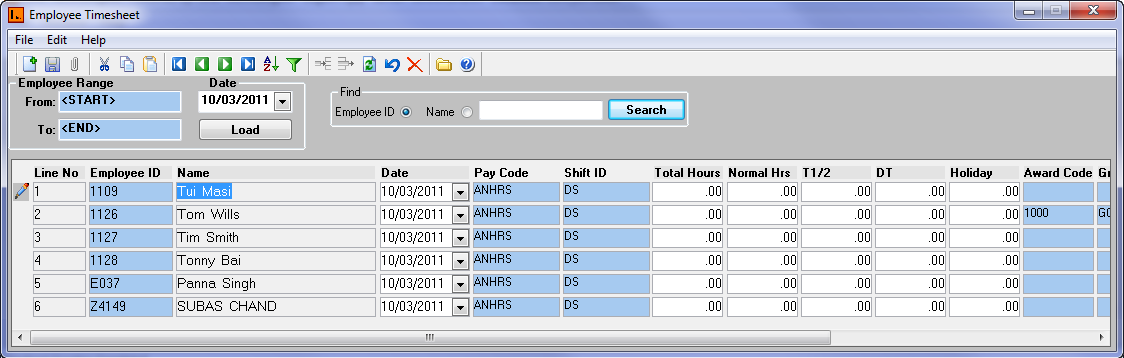
Edit the Total Hours, Normal Hours, Time and a half, and Double time.