Create
Schedule
[317-2] | Payroll |Roster
Management
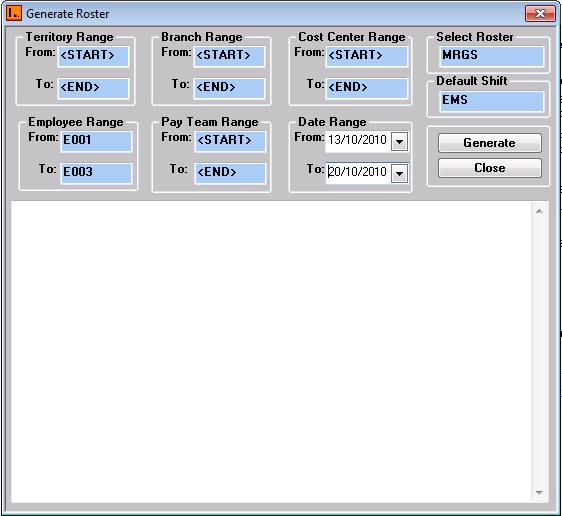
Create Schedule will create schedule records of employees according
to the range selected.
Steps
1.
Select the appropriate Roster and default Shift.
2.
Enter the Date Range.
3. Select the appropriate Territory, Branch, cost centre , employee and Pay team range.
Note:
Roster, Default Shift and Date Range are the required
Fields.
